Windows BMR: GUI and Support Tools
EnterpriseBacula Enterprise Only
This solution is only available for Bacula Enterprise. For subscription inquiries, please reach out to sales@baculasystems.com.
The GUI includes some “helpers” that can be useful in some circumstances.
File Menu
The file menu allows you to start additional command prompts or the “Tools dialog box”.
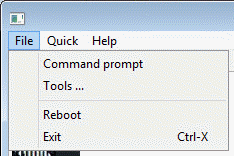
The File Menu
The Quick Menu
The Quick menu can open text files that are used during the restore process. Some files may be unavailable depending on where you are in the restore process or the type of the system you are restoring :
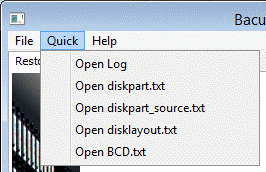
The Quick Menu
- Open Log
open the log file
- Open diskpart.txt
open the diskpart script as used by the auto-partitioning.
- Open diskpart_source.txt
open the diskpart script as it would have been generated by the auto-partitioning process without any changes to the original system
- Open disklayout.txt
open the file that the WindowsBMR plugin has generated at the backup time and that contains information about the disk and partition layout of the source host.
- Open BCD.txt
open the text version of the BCD database on the source host.
Tools Dialog Box
The tools dialog box allows you to load drivers, setup your network adapter or remove any existing partitions from your disks.
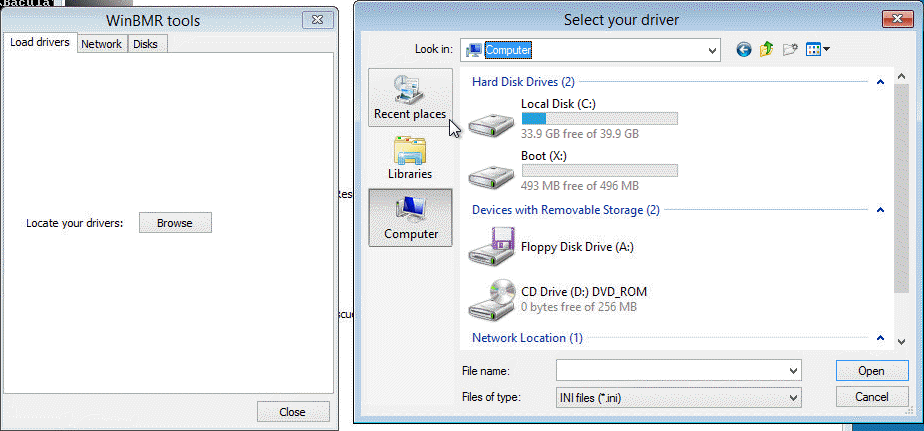
Load Drivers
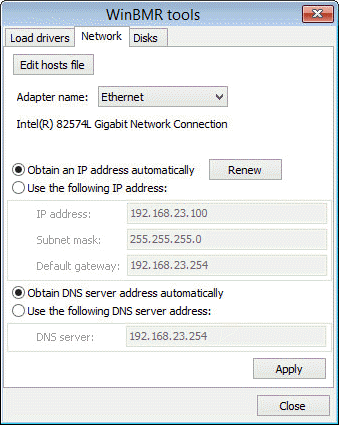
Network Configuration
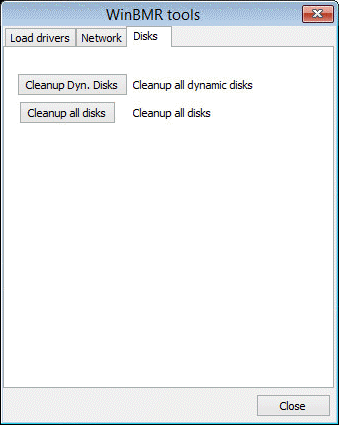
Cleanup Disks
Logging Tab
Next to the “Restore” tab is the Logging tab that displays all log messages of the program. You can filter messages by level.
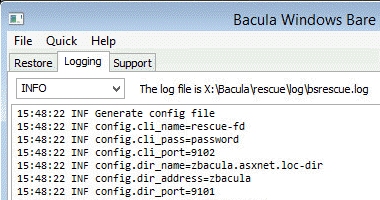
Logging Tab
Support Tab
The “Support” tab allows generation of a report file called “bssupport.zip”. The file can be uploaded directly to Bacula support through HTTPS protocol or downloaded through HTTP protocol via a built-in server. If you already have a ticket open, then supply the ticket number while sending the file to the support. If not, use any identifier that can help the support to easily identify your report.
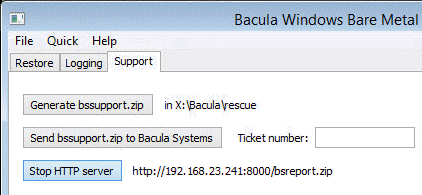
Support Tab
See also
Previous articles:
Next articles:
Go back to: Bare Metal Recovery for Windows.