Restoring Users and Roles
EnterpriseBacula Enterprise Only
This solution is only available for Bacula Enterprise. For subscription inquiries, please reach out to sales@baculasystems.com.
To restore roles and users to your MySQL server, you just select the
global-grants.sql file located in: /@MYSQL/<service>/global-grants.sql.
Important
With MySQL >= 5.7, users must be created prior to the GRANT command with:
CREATE USER username
Then, using where=/ or where= the plugin will load this SQL file
into your database. If some roles already exist, errors will be printed
in the Job log. Note that it is possible to restore the
global-grants.sql file to a local directory, edit the file and load
it with mysql to restore only a particular selection.
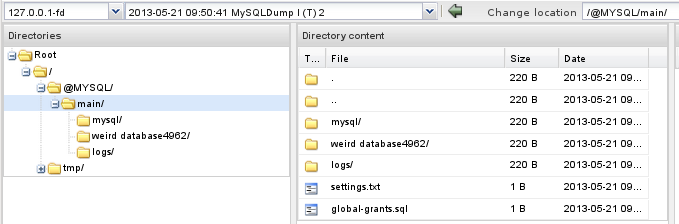
MySQL Server content during restore
See also
Next articles:
Go back to: Restoring Using Dumps.