Linux BMR: Completing Recovery
This chapter describes the process of completing recovery.
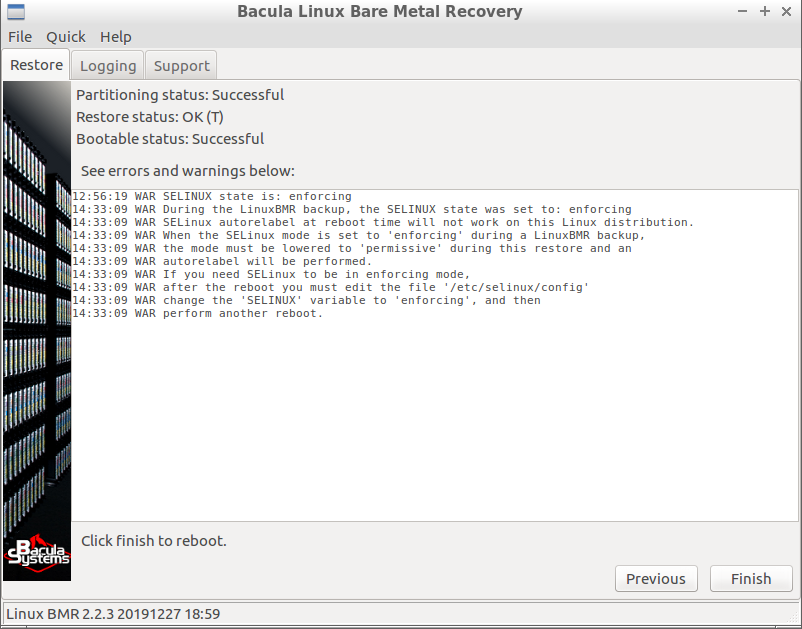
BMR Final
You have reached the final screen. It shows the status of all important
operations and all events with a level or “warning” or “error” that the
BMR program has encountered. Figure BMR Final also shows how
mapped disk contents have been handled which caused some lines to be
removed from the fstab file accordingly.
Before clicking the “Finish” button to reboot the system, you can do some interesting things:
You can inspect the restored data using any of the tools available on
the Recovery system, or using a simple terminal. The restored data is in
the the /target directory.
You can do some operations inside the restored system. Start a terminal,
become root using the command sudo su - then type command
chroot /target to operate in the freshly restored system like if it
was your root system.
You can generate and download the report of the full BMR process in
a file bssupport.zip that you could send to our support in case your
system would not reboot or would not meet your expectations. The report
can be generated in the “Support” tab described in
section The Support tab.
See also
Previous articles:
Next articles:
Go back to: Bare Metal Recovery for Linux.