Backup
EnterpriseBacula Enterprise Only
This solution is only available for Bacula Enterprise. For subscription inquiries, please reach out to sales@baculasystems.com.
The backup operation of a single guest VM takes the following steps:
Find and delete any old backup snapshots list in Full level backup.
Create a new guest VM Bacula snapshot and prepare it for backup.
Export VM Guest metadata configuration for future restore.
For any Incremental or Differential backups compute block changed list for every virtual disk in snapshot.
Export all raw images data or data based on changed block list if required.
Execute the XenServer
vm-exportcommand and save the data to a Bacula storage daemon.Delete a backup snapshot data and maintaining a snapshot metadata only.
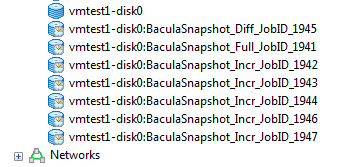
Backup snapshot set.
Backups can be performed for a guest VM in any power state (running or halted). For proper execution of Incremental or Differential backups it is required by XenServer to maintain snapshot metadata which stores changed block information used to compute changed block list during backup. You can find it and display on VDI objects list. Every single backup for single VM will create single metadata VDI snapshot for every VDI attached to guest VM.
Metadata snapshots take minimal space and cannot be used directly for restore. They save a changed block bitmaps and no real data blocks. Every CBT-enabled disk has an additional CBT-metadata disk which is named as <vdi_uuid>.cbtlog, on the same SR.
Size of a CBT-metadata disk on LVM based SRs is 4MB
Size of a CBT-metadata disk on file based SRs is proportional to the size of the VDI, and can grow up to a size of 4MB (for a 2TB VDI)
Blocks of 64 kB within the VDI are tracked and changes to these blocks recorded in the log layer.
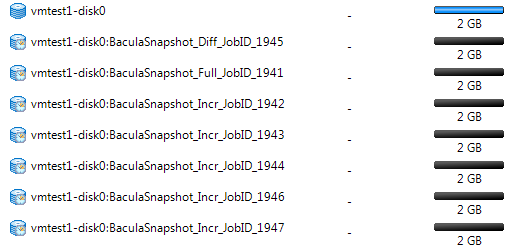
Metadata snapshots free space.
Any guest VM snapshot with a name-label which matches the following template: BaculaSnapshot_<UUID>_JobID_<NR> or VM Guest VDI snapshot <VDI-name-label>:BaculaSnapshot__JobID_<NR> will be treated as an old backup snapshot for this VM Guest and automatically deleted during backup (VDI snapshots during Full backups). You should avoid creating a such snapshots manually.
Any other guest VM snapshots will be unaffected. The XenServer Plugin will inform you about every guest VM backup start and finish including information about old stalled backup snapshots and backup snapshot activities. For example:
JobId 1936: xenapi: Start Backup vm: vmtest1 (8024379c-c753-872a-5c25-6c815ee617b4)
JobId 1936: xenctx: Cleaning old snapshots ...
JobId 1936: xenctx: Snapshot created: 5af34331-c6f2-e11b-c2c5-f1482c779eda
JobId 1936: xenapi: Finish backup of vmtest1-disk0:8066b4e4-9b42-4ed7-b908-3494c9bd9094
...
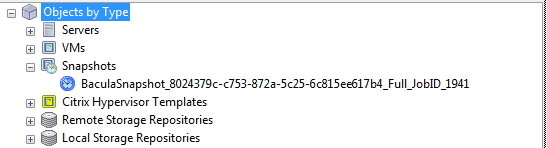
VM snapshot during backup.
The backup will create a following backup files during backup:
a single file for VM configuration metadata saved in the form of: /@xen/<name-label>/<vmuuid>.conf.
a single file for VM disks configuration saved in the form of: /@xen/<name-label>/<vmuuid>.vmdisks.
a single file for every VM Guest VDI saved in the form of: /@xen/<name-label>/<vmuuid>/<vdi-name:vdi-uuid>.vdi.
Multiple files will be created during backup if multiple VM Guest found to backup. You can use this information to locate the proper VM Guest archive during restore.
+---------------------------------------------------------------------------------------------------+
| filename                                                                                          |
+---------------------------------------------------------------------------------------------------+
| /@xen/vmtest1/8024379c-c753-872a-5c25-6c815ee617b4.conf                                           |
| /@xen/vmtest1/8024379c-c753-872a-5c25-6c815ee617b4.vmdisks                                        |
| /@xen/vmtest1/8024379c-c753-872a-5c25-6c815ee617b4/disk0:8066b4e4-9b42-4ed7-b908-3494c9bd9094.vdi |
+---------------------------------------------------------------------------------------------------+
Go back to: Xen Plugin: Operations.