Deploy File Daemon On Linux
EnterpriseBacula Enterprise Only
This solution is only available for Bacula Enterprise. For subscription inquiries, please reach out to sales@baculasystems.com.
The following article aims at providing a step-by-step guide to deploying a File Daemon on Linux, covering the entire process from adding a client to configuring the deployment using BWeb Manager Suite.
Important
Make sure to register your Download Area ID in BWeb.
Use Add Client.
Choose the Client Name and add a meaningful Description.
Select Standard encrypted communication.
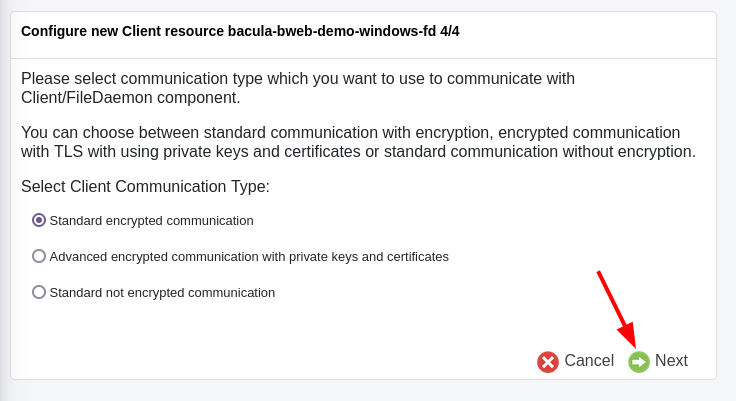
Choose the OS Type from the drop-down menu, and insert the host Address.
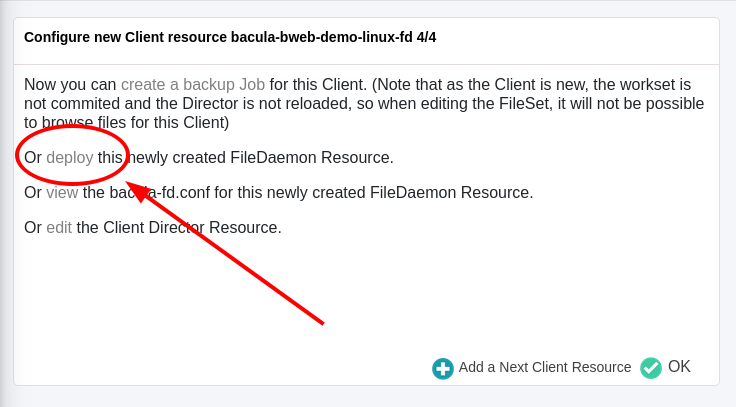
Next click on deploy.
Review the configuration of the client and click on Next.

Choose the Push Method Linux/Unix via SSH. Make sure to flag Install/upgrade binaries if no previous Bacula installation is present in the target host. Select Perform the deployment directly using BWeb Manager Suite.
Choose a Login method. If you have a key pair, you can connect via SSH. Otherwise, insert root password.
You can review the deployment details by clicking on Show Details.
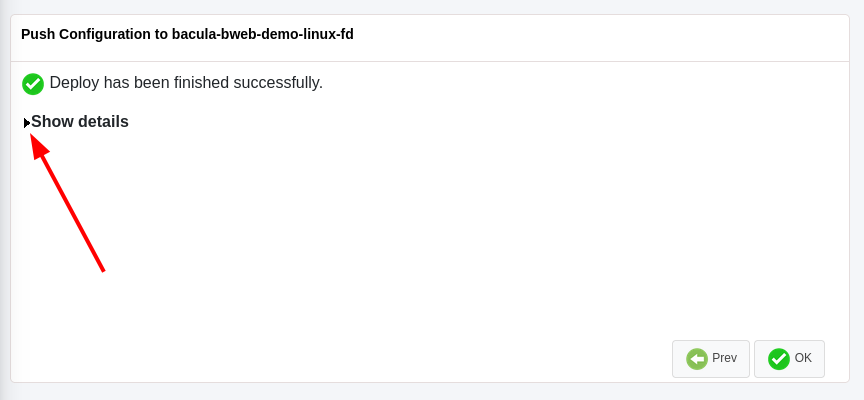
It will look something similar to this:
INFO: Execute user script '/opt/bweb/bin/deploy_script_linux.sh'
INFO: Checking required files on 10.0.98.35
INFO: Copy configuration files

The authenticity of host '10.0.98.35 (10.0.98.35)' can't be established.
ED25519 key fingerprint is SHA256:/2kIGZAhX8kheY01vCYHkl6CwMVRvqkn248Zi35/fLU.
This key is not known by any other names
Are you sure you want to continue connecting (yes/no/[fingerprint])? yes
/etc/selinux/targeted/contexts/files/file_contexts:  invalid context system_u:object_r:usr_t:s0
Warning: Permanently added '10.0.98.35' (ED25519) to the list of known hosts.


root@10.0.98.35's password:

bacula-push-1930.tar                            0%    0     0.0KB/s   --:-- ETA
bacula-push-1930.tar                          100%   10KB   5.2MB/s   00:00
INFO: Extract configuration files
INFO: Backing up original configuration from 10.0.98.35
tar: Removing leading `/' from member names
Shared connection to 10.0.98.35 closed.

tar: Removing leading `/' from member names
/opt/bacula/etc/bacula-fd.conf
/tmp/temp1udtzr7m
/tmp/temp1udtzr7m.cfg
Shared connection to 10.0.98.35 closed.

INFO: Install binaries
        ============================================================
        Welcome to Bacula Enterprise Installation Manager 2023.06.29
        ============================================================
    This script will assist you during Bacula Enterprise installation

            AlmaLinux 9.4 (Seafoam Ocelot) detected [rhel9-64].
    We do best effort on Alma Linux and we recommend to use Rocky Linux

                            Press ENTER to start

===========================================================
Installation of File Daemon (Client) and associated plugins
===========================================================

Using Download Area Code [<your-customer-code>]
Installing command line version 18.0.3
[2K
[=-------------------] 4.2% amazon-ec2 (not installed)[2K
[==------------------] 8.3% antivirus (not installed)[2K
[==------------------] 12.5% azure-vm (not installed)[2K
[===-----------------] 16.7% big-fs (not installed)[2K
[====----------------] 20.8% bin ()[2K
[=====---------------] 25.0% cdp (not installed)[2K
[======--------------] 29.2% delta (not installed)[2K
[=======-------------] 33.3% google-workspace (not installed)[2K
[========------------] 37.5% inventory (not installed)[2K
[========------------] 41.7% ldap (not installed)[2K
[=========-----------] 45.8% m365 (not installed)[2K
[==========----------] 50.0% mysql (not installed)[2K
[===========---------] 54.2% ndmp (not installed)[2K
[============--------] 58.3% netapp-hfc (not installed)[2K
[============--------] 62.5% oracle (not installed)[2K
[=============-------] 66.7% postgresql (not installed)[2K
[==============------] 70.8% qemu (not installed)[2K
[===============-----] 75.0% quobyte (not installed)[2K
[================----] 79.2% s3 (not installed)[2K
[=================---] 83.3% sap-hana (not installed)[2K
[==================--] 87.5% security (not installed)[2K
[==================--] 91.7% snapshot (not installed)[2K
[===================-] 95.8% vsphere (not installed)[2K
[====================] 100.0% xenserver (not installed)

The Bacula Client daemon will be installed or upgraded by default.

The following plugins available for the Client can be installed at version 18.0.3 :
-------------------------------------------------------------------------------------
1 : amazon-ec2          2 : antivirus           3 : azure-vm
4 : big-fs              5 : cdp                 6 : delta
7 : google-workspace    8 : inventory           9 : ldap
10 : m365               11 : mysql              12 : ndmp
13 : netapp-hfc         14 : oracle             15 : postgresql
16 : qemu               17 : quobyte            18 : s3
19 : sap-hana           20 : security           21 : snapshot
22 : vsphere            23 : xenserver
-------------------------------------------------------------------------------------

=============================================
Registration of File Daemon (Client) via BWeb
=============================================

=======================
Managing Firewall rules
=======================
A potential Director address is detected and will be used by default : bacula-bweb-demo
Incoming address bacula-bweb-demo will be accepted
Incoming address 10.0.98.91 will be accepted

=========================================
Ready to process the following operations
=========================================
[X] Installation of : Bacula
[ ] Registration of File Daemon (Client) via BWeb
[ ] Managing Firewall rules


=========================================================================
Executing Installation of File Daemon (Client) and associated plugins ...
=========================================================================
[2K
[==========----------] 50.0% installing keys
Updating the following modules and dependencies : bin ...
[2K
[====================] 100.0% updating bin
Installing the following modules and dependencies : gnupg, tar, bacula-enterprise-client ...
[2K
[=====---------------] 25.0% yum clean all[2K
[==========----------] 50.0% yum install gnupg[2K
[===============-----] 75.0% yum install tar[2K
[====================] 100.0% yum install bacula-enterprise-client done
Service bacula-fd has been installed. It has been enabled and restarted.


Installation of File Daemon (Client) Successfully completed
===========================================================
Bacula Enterprise Installation Manager. Done.
=============================================
Shared connection to 10.0.98.35 closed.

INFO: Clean up temporary config files
Shared connection to 10.0.98.35 closed.

INFO: Clean up temporary install files
Shared connection to 10.0.98.35 closed.

INFO: Restarting  service on 10.0.98.35
Shared connection to 10.0.98.35 closed.

INFO: Clean up
See also
Previous articles:
Next articles:
Go back to: Bacula Enterprise Guide to Basic Operations.